
What you engineer
- 30+ years building fall-protection gear in Franklin, PA
- In-house engineering and an ISO-accredited testing lab
- Products that meet or exceed OSHA & ANSI Z359
- Redundancy and testing so the gear performs before anyone needs it to
Microsoft 365 Migration Prepared for FrenchCreek Fall Safety
A phase-by-phase plan to move your team from on-premises Exchange Server 2019 to Microsoft 365 — engineered with the same care you build into every lifeline. Your mail keeps flowing the entire way.
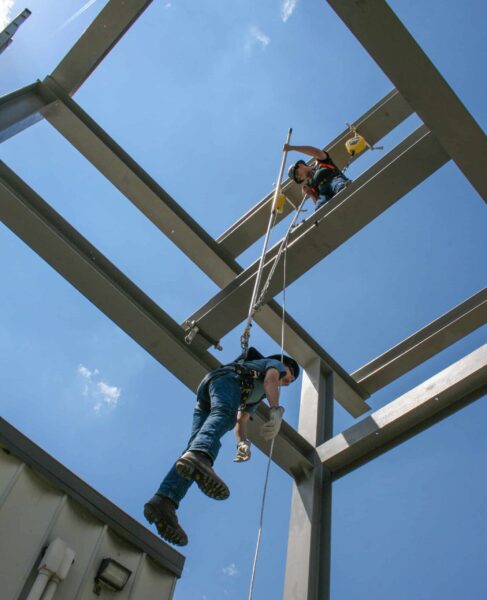
The principle
“FrenchCreek has spent three decades building the equipment workers trust as their last line of defense. We bring that same standard of dependability to the systems a business runs on — and that principle shaped every recommendation here.” — Joshua, Managing Partner, Diversicom
What you engineer

What we engineer
We did our homework
Here's what we understand about your environment today. We'll confirm and refine each detail in a short discovery session before any work begins — no surprises.
Users / mailboxes
~25
User, shared & distribution groups
Mail platform
Exchange 2019
On-premises server
Email domains
2 domains
fcsafety.com · frenchcreekproduction.com
Email security
Proofpoint
Kept in place through cutover
DNS management
Cloudflare
All record changes made here
Also handled
SMTP & scan-to-email
Printers & line-of-business apps
The plan
Think of it as a controlled descent. We move one variable at a time, test before we commit, and keep a hand on the line the whole way down. Follow each phase below.
Before anything moves, we learn your environment cold and write the runbook.
Your experience Nothing changes yet. Your team keeps working exactly as they do today.
We stand up your new home in the cloud and lock down security from day one.
Your experience Still business as usual. The new environment is built quietly alongside the old one.
We copy your mail to the cloud — we never cut. Your live inbox is untouched.
Your experience You keep working in your current inbox. We copy in the background — pilot first, full run second.
The switch — scheduled for a quiet window, with Proofpoint still guarding the door.
Your experience The switch happens after hours. By Monday morning, mail just works — same as before, now in the cloud.
We set up every device — desktop and phone — so no one is left figuring it out alone.
Your experience Hands-on help at the desk and on the phone. People stay productive.
We retire the old server properly — and stay on call while everyone settles in.
Your experience The old server is retired the right way. We're a step away if anything comes up.
Continuity by design
Email is mission-critical, so the whole method is built around one objective: move your mail to the cloud with no interruption. Here's how that works — and the four safeguards that catch anything unexpected.
We change one variable at a time. Proofpoint keeps filtering throughout, the Microsoft 365 connector is locked so it only accepts mail routed through Proofpoint, and the cutover itself is reserved for a controlled, low-traffic window.
A small group migrates and is validated before the full run — we test the load before trusting it with weight.
A final synchronization at cutover captures every message that arrived during staging. Nothing is left behind.

Mail flows through the old system right up to the switch — a backup anchor that lets us reverse course safely if needed.
After cutover, priority support stands by to catch and resolve anything before it becomes a problem.
Timeline
Followed by a two-week hypercare period. Exact dates are set jointly, with cutover scheduled for a low-traffic window — typically a Friday evening or weekend.
Discovery, migration plan, tenant configuration, domain verification and licensing.
Migration tooling, mailbox pre-seeding, pilot migration and validation, mail-flow prep.
Final delta sync, MX/DNS cutover, Proofpoint re-point, relay reconfiguration, endpoints & mobile.
Mail-flow validation, graceful Exchange decommissioning, documentation and knowledge transfer.
Priority post-migration support and issue resolution while everyone settles in.
Investment
Option 1 is the migration as a standalone, fixed-fee project. Option 2 pairs the same migration with ongoing Guardian-IT managed services — and cuts the project fee in half. No obligation either way.
Option 1
Standalone migration project
$10,500
One-time, fixed fee · billed 50% at kickoff, 50% at cutover
Option 2
Migration + Guardian-IT managed services
$5,250 $10,500
Project fee cut 50% · onboarding fee waived · with a 12-month agreement
Managed services: $120–$150 / user / mo ≈ $3,000–$3,750 / mo for 25 users
Talk through Option 2Licensing
Both options · via ClearKey
$550/mo
Microsoft 365 Business Premium · 25 users × $22/user/mo
| Component | Option 1 — Standalone | Option 2 — With Guardian-IT |
|---|---|---|
| Migration scope | Full (Phases 1–6) | Full (Phases 1–6) |
| One-time project fee | $10,500 | $5,250 |
| Onboarding fee | — | Waived |
| Post-migration support | 2-week hypercare, then optional | Included, ongoing |
| Ongoing IT support | By request | Full managed services |
| Microsoft 365 licensing | $550/mo (ClearKey) | $550/mo (ClearKey) |
| Monthly managed services | — | $3,000–$3,750/mo |
Why Option 2 costs us little to discount: the migration produces the same discovery and documentation we'd otherwise do during onboarding. Passing that saving to you is easy — and it gives FrenchCreek a fully managed environment from day one.
After cutover
With Guardian-IT, we don't bill by the ticket. We take ownership of your entire environment — network, servers, the workstations across engineering and the production floor, Microsoft 365, security and backup — and keep all of it running as one managed whole.
“We own the outcome. Your technology simply works, you have one team accountable for all of it, and we stay a step ahead so you don't have to — the same way your gear is built to perform before anyone ever needs it to.”
Straight talk
Transparency up front. Our pricing is based on the assumptions below — we'll confirm each in discovery, and we'd review any material change with you before proceeding.
Next steps
A short discovery call to confirm a few open items, then we finalize the schedule and begin.
This proposal is valid through July 1, 2026 (30 days from June 1, 2026).